What to Pin on Pinterest to Grow Your Audience Fast

This post may contain affiliate links, for which I may receive a small commission at no cost to you. Please read our full disclosure policy.
Have you ever pinned something on Pinterest and thought, “Will anyone even see this?”
I used to feel that way all the time—my first pins barely got noticed. But over the past couple of years, I’ve learned how to actually grow blog traffic—I went from almost zero to over 50k pageviews a month and even got into Mediavine in less than two years.
One thing that helped me early on was getting clear about the basics before I pinned anything.
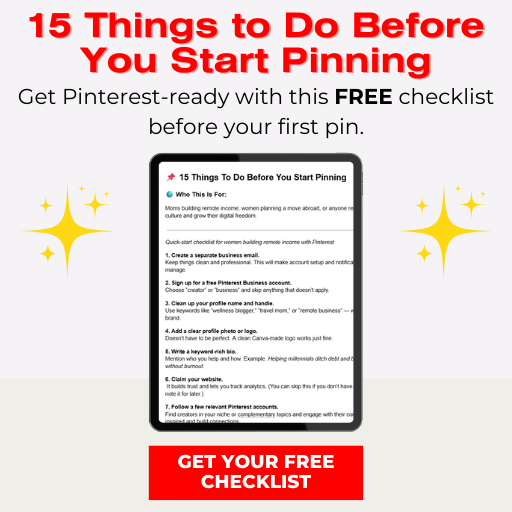
That’s actually why I put together a free guide: 15 Things to Do Before You Start Pinning. It’s the exact foundation I wish I had in the beginning, and it’ll save you so much trial and error.
Along the way, I discovered that Pinterest isn’t just about driving traffic to your blog.
There are so many other ways to make money and share your work, from lead magnets to digital products, YouTube videos, and more.
In this post, I’m sharing five types of pins that consistently get clicks, build your audience, and can even support your income—plus practical tips on how to implement them.
Watch the Video:
If you prefer a more visual walkthrough, I made a video showing all five types of pins in action—including blog posts, YouTube videos, lead magnets, quotes, and digital products.
I walk you through real examples of my pins, how I design them in Canva, and how I schedule them for the week.
You can check it out below and follow along as you read this post.
📌And if you want a ready-made way to track and organize your pins while following along with the video, my Pinterest AI Prompts & Planner Bundle includes the exact tracker I use plus the ChatGPT prompts I use to speed up pin creation, so you can stay consistent and save time.
Lead Magnets / Freebies
Have you ever signed up for a free guide or checklist and felt a little spark of excitement?
That’s exactly what a lead magnet is—something your audience wants so badly they’re willing to give you their email in exchange.
Why Lead Magnets Work on Pinterest
- Instant value: People are motivated by actionable tips, templates, or resources they can use right away.
- List building: Each download grows your email list, which is where your long-term audience lives.
- Shareability: Pins linking to free resources tend to get shared more because the content is universally appealing.
How to Pin Lead Magnets
- Create a Canva pin that clearly shows what the freebie is. Example: “Free 5-Day Homeschool Planner” with a bright, readable overlay.
- Link the pin to a landing page or blog post where your freebie lives.
- Use relevant keywords in your pin title and description—think like your ideal reader.

YouTube Videos
If you create video content, Pinterest can be a second home for your YouTube channel.
Even people who don’t normally browse YouTube may discover your videos on Pinterest.
Why YouTube Pins Work
- Visual curiosity: Pinterest users are drawn to eye-catching images, so create a pin that clearly represents your video content and sparks interest.
- Extended reach: Your content reaches audiences beyond YouTube subscribers.
- Repurposing: You don’t have to make new content—just promote what already exists.
How to Pin YouTube Videos
- Create a Pinterest-optimized image for your video using Canva, focusing on clear text, bright visuals, and a layout that works well in Pinterest’s vertical format.
- Make the title actionable and curiosity-driven: “How I Homeschool Abroad Without Stress”.
- Link directly to your video, or better yet, link to a blog post that embeds the video (this drives traffic back to your site).
Blog Posts
Blog posts are the bread and butter of Pinterest marketing, and they’re my favorite type of pin. Why?
Because they provide value, depth, and a reason for people to visit your site.
And they actually drive the majority of my income through ads and digital products.
Why Blog Post Pins Work
- Evergreen content: A well-written post can drive traffic for months or even years.
- SEO benefits: Pinterest acts like a visual search engine.
- Revenue opportunities: Once someone’s on your site, you can introduce affiliate links, products, or more resources.
Affiliate Links
Some people do pin affiliate links directly on Pinterest, but I personally don’t recommend making that your main strategy.
It’s much more effective to create a helpful blog post, guide, or resource that your audience would love—then pin that post to Pinterest.
Inside the blog post, you can share your affiliate links in a natural, helpful way.
This builds trust and keeps people coming back, which is where the long-term income really happens.

Inspirational Quotes
Sometimes a simple quote can be incredibly motivating, shareable, and even viral.
For people looking for motivation, inspiration, or a little daily encouragement, a well-designed quote can really resonate and be highly shareable.
How to Pin Quotes
- Choose quotes that resonate with your audience’s interests and mindset, such as inspiration, positivity, personal growth, or creativity.
- Make them visually appealing with Canva: easy-to-read fonts, calming colors, and a clean layout.
- Pin consistently. Quote pins tend to perform better when sprinkled throughout the week.
A note on engagement: When I pin quotes, most of my engagement comes from saves rather than clicks to my site.
While they might not drive immediate traffic, saves are a big win on Pinterest—they signal that your content is valuable, which can help your pins get seen by more people and reach new audiences over time.
📌Ready to take your Pinterest strategy to the next level?
Before you start creating pins, make sure you’ve got the essentials covered.
Grab this FREE checklist to ensure every pin you make works smarter, not harder.
Click the image below to download!
Digital Products
If you sell digital products—printables, templates, courses, or planners—Pinterest can help introduce your offerings to a highly targeted audience.
Why Digital Product Pins Work
- Targeted traffic: Pinterest users searching for solutions are ready to buy or download.
- Visual appeal: People love seeing previews of what they’re getting.
- Evergreen promotion: Digital product pins can continue driving sales long after you create them.
How to Pin Digital Products
- Create a pin that highlights the product visually and mentions the benefit: “Homeschool Planner Kit — Organize Your Week Stress-Free”.
- Link the pin to the product landing page.
- Test different designs and wording to see what resonates most.
Weekly Pin Mix Template
If you’re just getting started with Pinterest, one simple way to stay consistent is to use a weekly pin mix.
It can be a helpful framework to build momentum while you figure out what works best for you.
Here’s an example schedule:
- Monday: 1 pin → blog post or YouTube video
- Wednesday: 1 pin → lead magnet
- Friday: 1 pin → inspirational quote
- Saturday/Sunday: 1 pin → digital product or service
Even if you only have a few pins ready, following this pattern keeps your feed active and balanced.
Tracking Your Pins
Knowing what works is half the battle. I keep it simple:
- Track which pins are driving traffic in a spreadsheet.
- Note the type of pin, board it’s on, and clicks/repins.
- Review weekly to see trends and focus on what works best.
You can also screen record or take screenshots of your boards, your Canva designs, and your scheduling interface. It only takes a few seconds but helps you stay organized and consistent.
📌 If you’re looking for a ready-made way to start tracking pins and organizing your strategy, my Pinterest AI Prompts & Planner Bundle includes a simple tracking template and step-by-step guidance.
It’s designed to help you get a clear picture of what’s working without adding extra stress to your week.
Why Diversifying Your Pins Makes Pinterest Work Harder for You
The common thread through all of this is diversity.
Pinning just one type of content might get some clicks, but when you mix blog posts, YouTube videos, lead magnets, quotes, and digital products, each type supports the others and keeps your audience engaged in different ways.
Blog posts drive long-term traffic, lead magnets grow your email list, videos give a visual connection, and quotes keep people coming back to your boards.
By creating a mix and following a simple weekly schedule like the one I shared, you’re not only spreading your reach across Pinterest but also building a system where each pin feeds into your bigger goals—traffic, audience growth, and income.
This balanced approach makes your Pinterest strategy more sustainable and effective over time.
You May Also Enjoy:
The Exact Pinterest Strategy That Helps Me Earn Remote Income
10 High-Paying Location Independent Business Ideas for Women
Wrapping Up
Pinterest can feel overwhelming at first, but when you focus on a mix of blog posts, YouTube videos, lead magnets, quotes, and digital products, it starts to make sense.
Each type of pin serves a purpose and feeds into the others, helping you grow traffic, build your audience, and even support your income.
The key is consistency, variety, and linking pins to content that truly provides value.
Start with what you already have, test different pin types, and gradually create a system that works for your schedule and your niche.
Over time, the results add up—and it’s much more manageable than trying to pin everything at once.
➡️ If you’re brand new, don’t miss my free guide: 15 Things to Do Before You Start Pinning. It’ll give you the foundation you need so you can start strong without the guesswork.
And if you want a ready-made system to help you plan, track, and optimize your Pinterest strategy, my Pinterest AI Prompts & Planner Bundle includes templates, step-by-step guidance, and tracking tools to make the whole process simpler and more effective.


